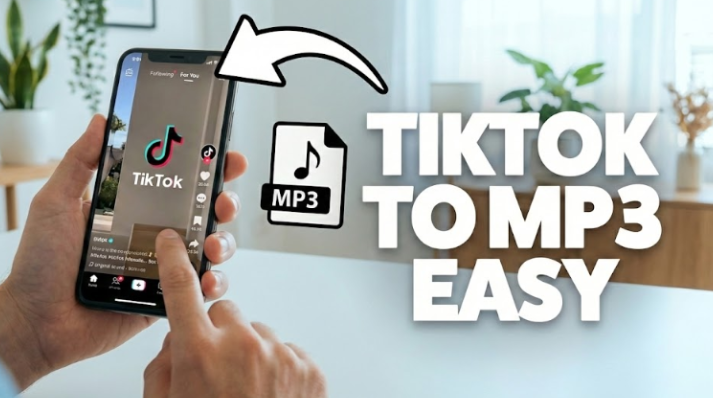

TikTok has revolutionized how we discover new music and viral sounds. From catchy remixes to soothing ASMR, the platform is a goldmine of audio content. Sometimes, you come across a background track so good that you want to save it forever, but there’s no option to save it as an MP3! That’s where a TikTok to MP3 converter comes in. In this guide, we’ll show you how to quickly convert TikTok videos into high-quality MP3 files.
What is a TikTok to MP3 Converter?
A TikTok to MP3 converter is a tool designed to extract the audio track from a TikTok video and save it in a high-quality MP3 format. The MP3 format is compatible with all devices worldwide, from old MP3 players to the latest iPhones.
Benefits of Converting TikTok Videos to MP3:
- Offline Listening: Streaming video consumes significant data. Listening to an MP3 file offline saves your mobile data plan
- Storage Efficiency: MP3 files take up much less space than full videos.
- Superior Organization: Instead of digging through “Liked Videos” on TikTok, you can organize your sounds into folders or Spotify-like playlists.
- Custom Ringtones: Set a trending sound as your alarm or notification tone or use the audio for video editing
See also: Future of Global Tech Delivery Software Development Company Models
Recommended TikTok to MP3 Converter: EasyDown Online Video Downloader
EasyDown offers exceptional stability. Unlike tools filled with pop-up ads and software viruses, this TikTok sound downloader provides a clean and efficient experience. It’s a web-based tool, meaning you don’t need to install any bulky software on your phone.
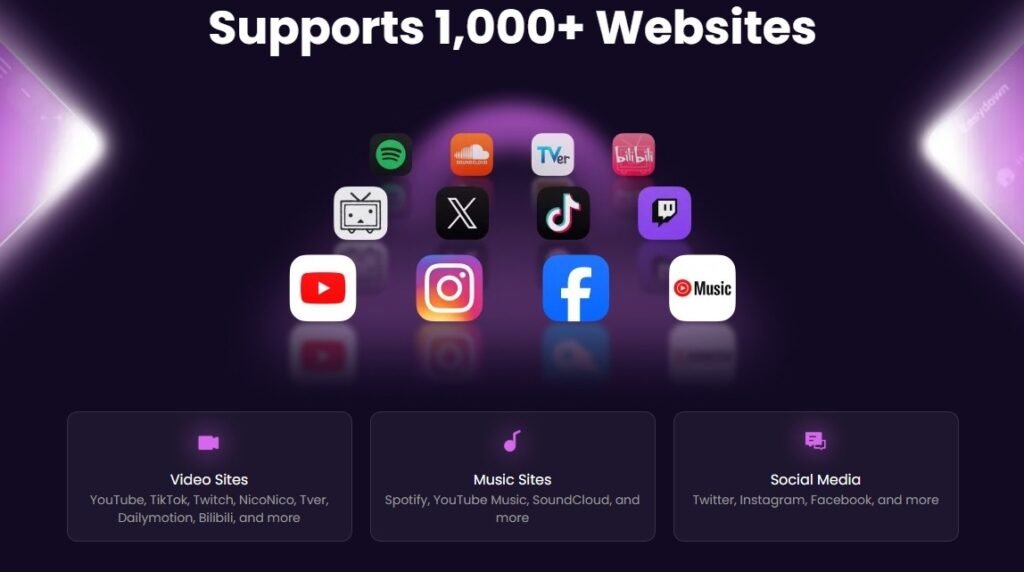
More Advantages of Easydown
- All-in-One: Supports 1000+ sites including TikTok, Instagram, and YouTube. Whether you need audio or want to convert YouTube to MP4 in 4K resolution, EasyDown handles it all with zero quality loss.
- Batch Power: Save entire playlists or channels in one click.
- Safety First: No ads, no tracking, and no watermarks.
- Speed: Optimized algorithms ensure downloads don’t fail halfway.
How to Convert TikTok Video to MP3 Using EasyDown
Using EasyDown is simple and fast. Follow these steps:
Step1. Copy the Link: Open TikTok, find the video you like, and tap “Share” > “Copy Link.”
Step2. Paste to EasyDown: Go to the EasyDown website and paste the URL into the search bar.
Step3. Download: Click the “Download” button and select “MP3” as your output format.
Step4. Save: Click Save after the download is complete. The file will be saved directly to your device in seconds.
That’s it! With the high-quality MP3 now saved to your device, you are ready to use it for your own creative projects. Next, let’s see how to add this sound to your own TikTok videos.
How To Add MP3 Audio To TikTok Video – Step By Step
Once you have your MP3, you might want to use it in a new TikTok creation. Here’s how:
- Upload to an Editor: Use an app like CapCut or InShot.
- Import MP3: Open your video project and select “Add Audio” > “From Files” to upload your saved MP3.
- Sync and Save: Align the music with your video clips and export.
- Upload to TikTok: Post your video as usual.
- Pro Tips for Better Videos:
- Match the Beat: Use the “Beats” feature in editors to time your cuts to the music.
- Volume Balance: Ensure the background music doesn’t drown out your voiceover.
Now that your video is ready to go viral, why stop there? If you really love that sound, you can also set it as your personal ringtone so you can hear it every time your phone rings.
How to Turn a TikTok Sound Into a Ringtone
Whether it’s a funny quote or a trending song, personalizing your phone sound is a fun way to express yourself. Here is how to do it quickly with your new MP3 file:
- For iPhone: Download the MP3 via EasyDown, import it into the GarageBand app, and export it as a Ringtone.
- For Android: Simply go to Settings > Sound > Phone Ringtone and select the MP3 file from your “Downloads” folder.
And voilà! Now, every time your phone rings, you’ll be playing the hottest track on the internet. Just be careful not to pick a song you’ll get tired of too quickly!
Legal & Safety Reminders
While saving audio for personal use is common, always respect copyright laws. Do not re-upload copyrighted music as your own or use it for commercial purposes without permission. Always use a trusted TikTok sound downloader like EasyDown to avoid intrusive ads or malware.
FAQ
Is converting TikToks to MP3 legal? Downloading for personal, offline use is generally fine, but distributing copyrighted material without a license is against TikTok’s terms and copyright laws.
How can I convert video to MP3 for free? You can use EasyDown. It is a completely free online tool that requires no subscription.
Is there a safe way to download TikTok sounds? Yes. EasyDown provides a secure, browser-based experience without requiring registration or software downloads, keeping your device safe.
Final Thoughts
Don’t let your favorite TikTok sounds get lost in the feed. Whether you want to set a trending song as your ringtone, edit a new video, or simply listen offline, converting TikTok videos to MP3 is the way to go. With EasyDown, you get a powerful, all-in-one tool that guarantees speed, safety, and high-quality audio without the hassle of software installation. Ready to save your favorite sounds? Head over to EasyDown and start saving your high-quality MP3s for free today.