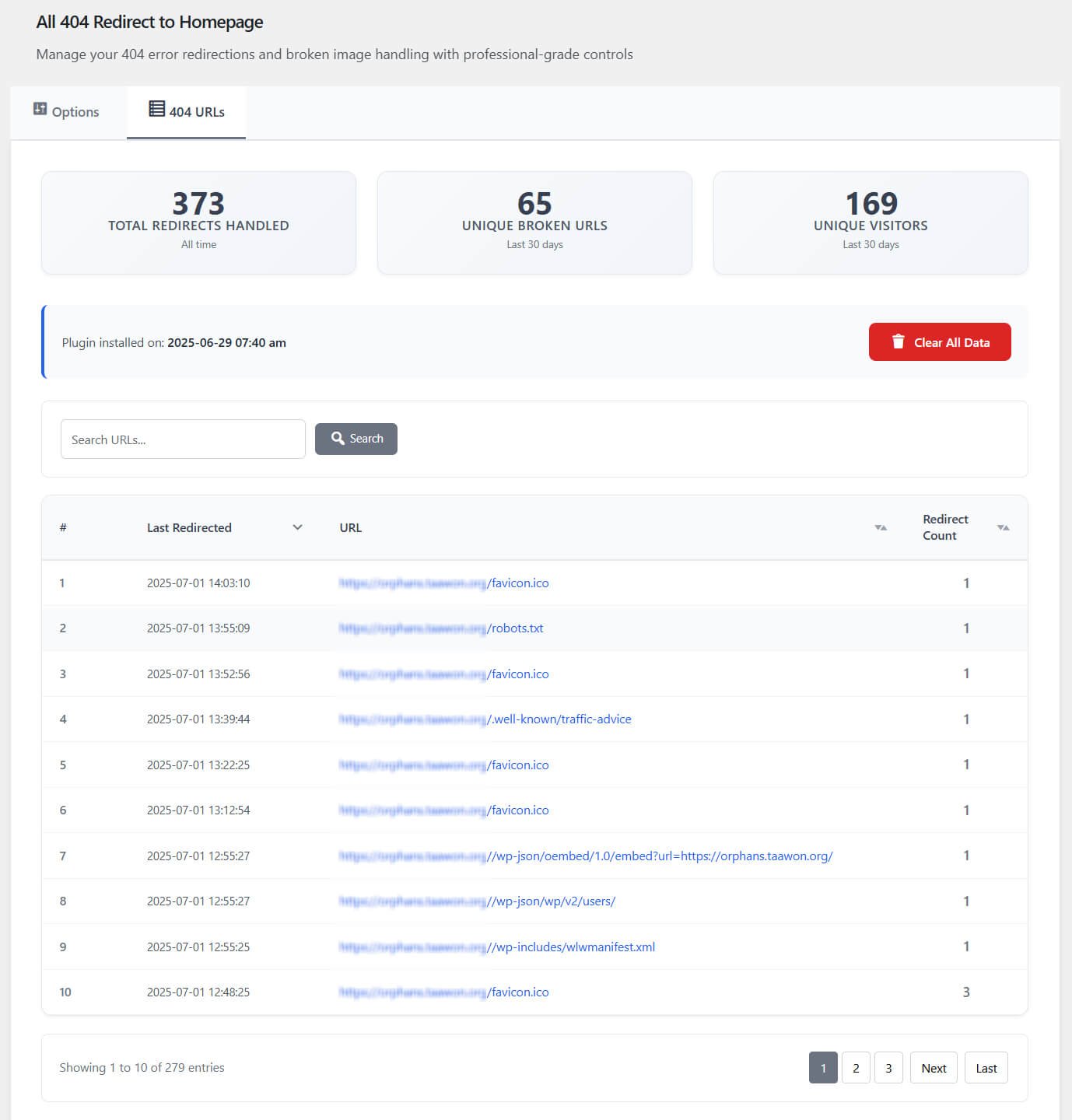

The best WordPress redirect plugin for most sites is Redirection, because it is free, mature, and strong enough for daily URL cleanup without adding a full SEO suite. Broken URLs should not be ignored, but they should not cause panic either. Google has said that genuine 404 pages do not harm a site by themselves. The real problem is messy internal linking, lost backlinks, poor user experience, and wasted crawl activity.
TLDR: Use Redirection if you want a dependable free plugin for 301 redirects, 404 logs, and bulk fixes. Use Rank Math or AIOSEO if you already run those SEO plugins and want redirects inside the same dashboard. For example, a small store that changes 120 product URLs and gets only 30 visits per old URL can still lose 3,600 visits if redirects are missed. A weekly 404 report that fixes the top 20 errors can often remove most visible problems fast.
Why Redirect Plugins Matter
URLs change. Products expire. Blog slugs get edited. Categories merge. A redesign may move hundreds of pages in one afternoon. Without redirects, visitors hit dead pages, and search engines find signals pointing to the wrong place.
A redirect plugin helps you send users from an old URL to the correct new page. The common choice is a 301 redirect, which tells browsers and search engines that the move is permanent. A 302 redirect is temporary. A 410 status says the content is gone on purpose.
The catch is that not every plugin handles this cleanly. Some hide logs behind paid plans. Some create clutter. Some slow down the admin area by a few seconds when a site has thousands of rules. That gets old quickly.
What to Look For in a WordPress Redirect Plugin
- 301 and 302 redirect support: You need both permanent and temporary options.
- 404 monitoring: Good plugins show which missing URLs people are actually visiting.
- Bulk import: This is vital during migrations or large content cleanups.
- Regex support: Useful for patterns, such as redirecting an entire old category.
- Low overhead: Redirects should not make every request slower.
- Clear logs: You need dates, referrers, hit counts, and source URLs.
- Safe rule management: Bad redirects can create loops and block key pages.
1. WP 301 Redirects
Best for: Simple Redirect Management and Broken Link Fixes
WP 301 Redirects is a practical WordPress plugin for managing URL redirects, fixing broken links, and preserving SEO value when pages move or URLs change. It helps website owners redirect visitors from outdated URLs to relevant destinations without having to manually edit server configuration files.
One of its biggest advantages is its focus on making redirect management straightforward. You can set up 301 redirects, handle 404 errors, and help visitors reach the right pages after a site redesign, permalink change, or content migration. The PRO version adds more advanced functionality for users who need greater control over their redirects.
Pros:
- Easy-to-use interface for managing redirects.
- Helps address broken links and outdated URLs.
- Supports SEO-friendly permanent redirects.
- Useful during website redesigns and migrations.
Cons:
- Advanced redirect needs may require the PRO version.
- Redirect rules need regular review to avoid chains, loops, and irrelevant destinations.
2. Redirection
Best for: Most WordPress sites that need serious redirect control without paying.
Redirection is the default recommendation for a reason. It handles 301 redirects, tracks 404 errors, supports regex, and can import large rule lists. It also lets you group redirects, which helps when you are cleaning up old content or managing a site migration.
The 404 log is especially useful. You can see which broken pages get hits, then decide whether to redirect them or leave them as proper 404s. That matters. Not every missing URL deserves a redirect. If someone requests a random spam URL, sending it to your homepage is not helpful.
Pros:
- Free and widely used.
- Strong 404 tracking.
- Regex and conditional redirects.
- Good for migrations and content pruning.
Cons:
- The interface can feel dense at first.
- Large logs may need regular cleanup.
3. Rank Math SEO
Best for: Sites already using Rank Math for SEO.
Rank Math includes a redirect manager in its SEO toolkit. If the plugin is already active on your site, using its redirect module keeps things simple. You can manage SEO settings, monitor some site issues, and add redirects from one place.
It supports common redirect types, including 301, 302, 307, 410, and 451. That gives site owners more control than basic redirect plugins. The plugin also warns about some SEO issues, which can help teams catch problems before they become traffic losses.
Pros:
- Good if Rank Math is already installed.
- Multiple redirect status codes.
- Clean interface.
Cons:
- More plugin than you need if you only want redirects.
- Some advanced features depend on the paid version.
4. AIOSEO Redirection Manager
Best for: Business sites that want redirects inside a full SEO plugin.
All in One SEO offers a redirection manager in its premium plans. It is polished and suitable for nontechnical users. You can create redirects, track 404 errors, and manage URL changes without editing server files.
This is a strong option for agencies and small businesses that already use AIOSEO. It keeps SEO tools, sitemaps, schema settings, and redirects under one roof. That can reduce training time for content teams.
Honestly, it feels like overkill if all you need is ten redirects after a small blog cleanup. But for a business site with regular content changes, it is convenient.
Pros:
- Beginner-friendly.
- Good 404 tracking.
- Useful for teams already paying for AIOSEO.
Cons:
- Redirect manager is not the best choice for free-only users.
- Full suite may feel heavy for simple sites.
See also: Why CPAs Ensure Accuracy During Rapid Business Expansion
5. Yoast SEO Premium Redirect Manager
Best for: Sites using Yoast Premium and editorial teams that change slugs often.
Yoast SEO Premium includes a redirect manager that prompts users when URLs change. This is useful for editors. If someone updates a post slug, Yoast can suggest creating a redirect from the old URL to the new one.
That simple prompt can prevent many mistakes. It is especially useful on blogs with many authors, where URL changes may happen without a migration plan.
Pros:
- Helpful slug-change prompts.
- Works well with Yoast SEO workflows.
- Good for content teams.
Cons:
- Requires Yoast Premium.
- Less appealing if you do not use Yoast.
6. Safe Redirect Manager
Best for: Developers and high-control WordPress projects.
Safe Redirect Manager is a lean plugin built with safer redirect handling in mind. It stores redirects as custom post types and includes support for HTTP status codes. It is often a good fit for developers who want a cleaner, more controlled setup.
It does not try to be a full SEO product. That is a strength if you dislike bloated admin screens. It focuses on redirects and stays fairly quiet.
Pros:
- Lightweight.
- Good for developer-managed sites.
- Cleaner than many all-in-one tools.
Cons:
- Less friendly for beginners.
- Not as focused on visual 404 reporting.
7. Simple 301 Redirects
Best for: Small sites with basic redirect needs.
Simple 301 Redirects does what its name says. You enter an old path and a new destination. That is it. For a small brochure site or a quick domain cleanup, this can be enough.
Do not expect deep logs, complex reports, or advanced rule building. That is not the point. It is best when the redirect list is short and stable.
Pros:
- Very easy to use.
- Good for small sites.
- No steep learning curve.
Cons:
- Limited advanced features.
- Not ideal for migrations with hundreds of URLs.
Best Plugin by Use Case
- Best choice overall: WP 301 Redirects.
- Best free choice: Redirection.
- Best for Rank Math users: Rank Math SEO.
- Best for AIOSEO users: AIOSEO Redirection Manager.
- Best for Yoast users: Yoast SEO Premium Redirect Manager.
- Best for developers: Safe Redirect Manager.
- Best for very small sites: Simple 301 Redirects.
How to Prevent 404 Errors Before They Grow
Start with a monthly URL check. Look at your 404 logs, but do not redirect every error blindly. Redirect old pages with traffic, backlinks, or close replacements. Leave junk URLs alone. Use a 410 status for content that is gone and has no replacement.
Before a redesign, export all current URLs. Map each old URL to a new one. Test the list before launch. After launch, monitor 404s daily for the first week. Google recommends using proper HTTP status codes so crawlers understand page states correctly.
Also check internal links. A redirect is not a substitute for clean site structure. If your menu, footer, or old blog posts still point to redirected URLs, update them. Each extra hop adds delay and risk.
Final Recommendation
For most WordPress sites, choose WP 301 Redirection and Redirection. It gives you the best mix of control, reporting, and cost. If you already pay for Rank Math, AIOSEO, or Yoast Premium, their built-in redirect tools may be easier for your team.
The serious approach is simple. Track 404s. Redirect old valuable URLs. Avoid redirect chains. Clean internal links. Review logs every month. That routine prevents lost visitors, protects search value, and keeps your WordPress site from turning into a pile of dead ends.